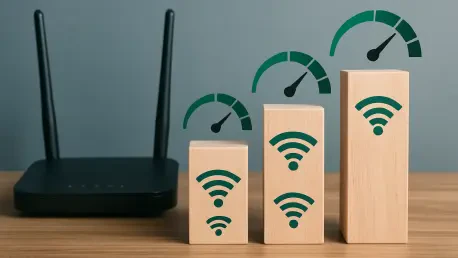

Most digital households operate under the assumption that a Wi-Fi router is a static appliance, delivering a fixed level of performance that can only be improved by purchasing more expensive hardware or upgrading an internet service plan. This perspective ignores the sophisticated software controls built into modern networking equipment that allow users to customize how data is transmitted across the airwaves. By exploring the concept of channel width, users can move beyond the conservative factory defaults that manufacturers implement to ensure broad device compatibility at the expense of peak speed. Increasing the width of a wireless channel effectively widens the frequency range used for communication, turning a narrow single-lane road into a multi-lane expressway capable of carrying significantly more data packets simultaneously. This technical adjustment, often referred to as channel bonding, represents one of the most effective ways to optimize a home network for high-bandwidth applications like ultra-high-definition streaming, cloud gaming, and large-scale file synchronization. While the process requires a nuanced understanding of radio frequency behavior and local interference patterns, the potential for a substantial increase in throughput makes it a vital skill for anyone looking to maximize their existing technological investment without incurring additional costs. Fine-tuning these parameters bridges the gap between theoretical maximums and real-world performance levels in an increasingly connected world where every megabit counts toward a smoother user experience.
Understanding Frequency Bands: The Physics of Channel Bonding
Wireless networks primarily function across two major frequency bands, which are the 2.4GHz and 5GHz ranges, each serving distinct purposes based on their physical properties. The 2.4GHz band is known for its ability to penetrate walls and cover long distances, but it operates within a very narrow total spectrum, typically restricted to 20MHz or 40MHz widths. In contrast, the 5GHz band offers a much larger playground for data transmission, allowing for much wider lanes that can be combined through a process called channel bonding. When a router bonds two 20MHz channels, it creates a 40MHz lane; bonding four results in an 80MHz lane, and current high-end equipment can even achieve 160MHz or 320MHz widths. This expansion of the frequency footprint directly correlates to how much data can be moved at any given microsecond, much like how adding lanes to a freeway allows more cars to travel at high speeds without bottlenecking. By manually forcing a router to use a wider channel, a user essentially mandates that the hardware utilize a larger portion of the available radio spectrum to prioritize raw throughput for connected devices.
However, the expansion of channel width is not a consequence-free upgrade, as the radio spectrum is a finite and shared resource among all nearby wireless networks. As the width of a channel increases, the likelihood of that channel overlapping with a neighbor’s Wi-Fi signal grows exponentially, which can lead to significant interference and packet loss. This phenomenon occurs because wireless communication relies on clear airwaves; when two routers attempt to talk over the same frequency simultaneously, the signals collide, forcing the hardware to retransmit the data and causing latency spikes. In a densely populated apartment complex, a very wide 160MHz channel might actually perform worse than a narrow 20MHz channel if the wide lane is constantly clashing with twenty other nearby networks. Therefore, the goal of adjusting channel width is to find the “Goldilocks zone” where the lane is wide enough to provide high speeds but narrow enough to avoid the heavy traffic of surrounding environments. Achieving this balance requires a strategic assessment of the local airwaves, ensuring that the chosen frequency block is relatively unoccupied before committing to a wider digital path.
Performance Optimization: Real-World Gains and Strategic Selection
Real-world performance testing consistently reveals that adjusting channel width provides tangible benefits that often exceed the gains seen from simply moving closer to the router. For instance, transitioning from a standard 20MHz setting to an 80MHz configuration on a 5GHz network can result in speed increases of over 25% on modern fiber-optic connections, particularly for devices capable of handling complex spatial streams. These gains are most noticeable during tasks that require sustained high-speed data transfers, such as downloading massive software updates or streaming 8K video content without buffering interruptions. While the theoretical maximums printed on router boxes are rarely achieved in typical home settings, manual optimization narrows the gap between those marketing figures and actual daily performance. By taking control of the channel width, a user ensures that the network is not artificially throttled by conservative auto-negotiation settings that prioritize the lowest common denominator of device compatibility over the capabilities of modern smartphones and laptops.
Strategic band selection is the foundational element of this optimization process, with a heavy emphasis placed on the 5GHz and 6GHz bands rather than the aging 2.4GHz spectrum. The 2.4GHz band is notoriously congested, not only by other Wi-Fi networks but also by household electronics like microwave ovens, baby monitors, and Bluetooth devices, all of which compete for the same limited frequencies. Because the 2.4GHz band only has three non-overlapping 20MHz channels, attempting to bond them into a 40MHz lane almost guarantees interference in any urban or suburban environment. Consequently, meaningful channel width adjustments should be reserved for the higher frequency bands where the spectrum is cleaner and more abundant. The 5GHz band provides the necessary overhead to support 80MHz or even 160MHz channels with much lower risks of destructive interference. This clear separation allows for a more stable and predictable high-speed connection, making it the ideal target for anyone looking to refine their network’s efficiency and ensure that bandwidth-hungry applications receive the priority they require for optimal operation.
Navigating Regulatory Hurdles: DFS and Hardware Standards
A significant technical hurdle in the quest for wider channels is the presence of Dynamic Frequency Selection, or DFS, which governs certain parts of the 5GHz spectrum shared with government radar systems. Many of the channels required to build a wide 80MHz or 160MHz lane are designated as DFS channels, meaning the router must legally listen for radar pulses from weather stations or military installations before transmitting. If a router detects such a signal, it is mandated by law to immediately vacate that frequency and move to a different, often narrower, channel, which can result in sudden Wi-Fi disconnections and frustration for the user. To maintain a stable and wide connection, it is often more effective to manually select non-DFS channel blocks, such as those centered around channel 42 or 161, which do not carry these regulatory restrictions. By intentionally avoiding DFS-prone areas of the spectrum, users can enjoy the benefits of wide-channel throughput without the unpredictable dropouts associated with radar interference, ensuring a more consistent and reliable internet experience.
The capabilities of a home network are also strictly defined by the generation of Wi-Fi technology implemented in the router and client devices. While Wi-Fi 5 introduced 80MHz channels as a common standard, the advent of Wi-Fi 6 and 6E has formalized the use of 160MHz lanes, providing a massive jump in potential speed for compatible hardware. Furthermore, the latest Wi-Fi 7 equipment has pushed these boundaries even further by utilizing the 6GHz band to support ultra-wide 320MHz channels, effectively doubling the capacity of the previous generation. These newer standards do not just offer wider lanes; they also incorporate better management tools like Orthogonal Frequency Division Multiple Access, which helps mitigate the interference that naturally comes with a larger spectral footprint. As users upgrade their devices, the ability to utilize these wider channels becomes more feasible, allowing the network to handle a higher density of high-speed connections simultaneously. Understanding the specific Wi-Fi version of each device on the network is essential, as the slowest or oldest device can sometimes influence how effectively the router manages wide-channel communication.
Implementation Protocol: Maintenance and Environmental Monitoring
Executing a change in channel width requires accessing the administrative interface of the router, a task that is usually accomplished by entering the local IP address into a web browser. Within the wireless settings menu, users will typically find options for “Channel Width” or “Bandwidth,” often set to an “Auto” mode that tends to favor the safest, narrowest settings for maximum compatibility. Before making a manual change, it is highly beneficial to perform a site survey using a Wi-Fi analyzer application on a smartphone or laptop to visualize the local radio environment. These tools provide a graphical representation of which channels are being used by surrounding networks and how much signal overlap exists. By identifying a relatively empty block of the spectrum, a user can then select the corresponding wide channel setting—such as 80MHz on a clear portion of the 5GHz band—with a high degree of confidence that the performance gains will not be negated by signal collisions from a neighbor’s router.
Maintaining a high-performance wireless environment was not a one-time task but a continuous process of observation and adjustment. Because the wireless landscape in a typical neighborhood changed as residents installed new equipment or internet service providers pushed remote firmware updates to neighboring routers, the ideal channel setting today might have become congested within a few months. Users who achieved the best results often scheduled a quick spectral review every few months to ensure their chosen channel remained the most efficient option. This proactive approach allowed for the identification of new sources of interference before they caused noticeable lag or connection drops. By treating the home network as a dynamic system that responded to its environment, enthusiasts successfully maintained peak speeds that far exceeded the out-of-the-box experience. Ultimately, the transition to manual channel management empowered users to take full ownership of their digital infrastructure, resulting in a more robust and responsive connection that met the demands of modern high-bandwidth computing and entertainment.