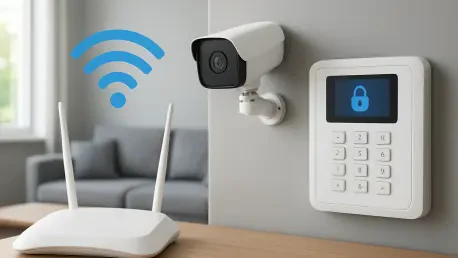

A practical experiment involving local IP dashboard access confirms whether a router effectively filters traffic based on the specific Service Set Identifier being used by a device. This fundamental shift in understanding residential networking moves the guest Wi-Fi feature from a simple hospitality convenience to a sophisticated security firewall for the household. In the digital landscape of 2026, the average home now resembles a small enterprise network, teeming with dozens of connected devices ranging from high-end workstations to basic smart home sensors. Because each of these devices represents a potential entry point for malicious actors, the traditional method of allowing every piece of hardware to reside on a single, open primary network has become increasingly hazardous. By utilizing a secondary guest network, homeowners can implement a strategy of network segmentation that provides a logical barrier between the most sensitive data and the less secure gadgets that populate the modern smart home. This approach effectively limits the potential for lateral movement, a common tactic where a compromise in one minor device allows an attacker to traverse the network until they find a valuable target such as a private server or a laptop containing financial information.
The Foundations: Understanding Network Isolation Mechanics
The most critical function of a dedicated guest network is its ability to provide internet connectivity while simultaneously restricting access to the local area network. This process involves the router applying specific firewall rules that prevent devices on the guest segment from communicating with those on the primary segment. In a standard Wi-Fi configuration, devices often use discovery protocols to identify and connect with other hardware, such as network-attached storage units or media servers. However, when a device is relegated to the guest network, it is placed in a sandbox environment where the private resources of the home remain completely hidden. This ensure that even if a guest brings an infected device into the home, the threat is technically contained within that specific channel. The router acts as a gatekeeper, allowing the device to reach the global internet for browsing or streaming while strictly blocking any attempts to probe the internal infrastructure for shared files or administrative interfaces.
Furthermore, network isolation is often implemented through two distinct methods that serve different security purposes. The first is LAN isolation, which prevents guest devices from reaching the primary network, while the second is client isolation, which prevents devices within the guest network from talking to one another. For example, if two visitors are connected to the same guest Wi-Fi, client isolation ensures that their smartphones cannot interact or exchange data locally. This multi-layered approach to isolation is essential for maintaining a high security posture, especially when multiple untrusted devices are active simultaneously. By controlling these toggles, a homeowner can tailor the network environment to suit the specific risk level of the hardware involved. This level of granular control was once the domain of professional IT administrators, but it has now become a standard feature in high-quality consumer routers, allowing residents to build a robust defense-in-depth strategy that starts at the wireless access point.
Configuration Variations: The Impact of Router Operating Modes
One of the most important considerations for implementing a guest network is understanding how the router’s operating mode affects its security protocols. Many modern systems, such as the TP-Link Deco or various ASUS models, behave differently depending on whether they are set to function as a primary router or a secondary access point. In a standard router mode, these systems typically automate the isolation process, ensuring that the guest SSID is walled off from the main network by default. However, when a device is switched to access point mode to extend an existing network, the built-in isolation features might require manual adjustment or may disappear entirely. This technical nuance is a common pitfall for many users who assume that a guest label automatically guarantees security. In these instances, the guest network might simply act as a separate name for the same open network, offering no actual protection against lateral traffic unless the user specifically enables the local access restriction toggles.
The inconsistency between different brands and firmware versions highlights the necessity of a thorough technical audit when setting up a home security perimeter. Some manufacturers provide a simple checkbox to allow or deny local access, while others integrate these settings into deeper professional menus. For example, some routers might allow a guest device to see the management login page of the router itself while still successfully blocking access to other computers on the network. This occurs because the router treats management traffic differently from inter-device traffic, listening for administrative commands on all interfaces. While this visibility might appear to be a security flaw at first glance, the isolation of the guest network remains intact so long as the admin dashboard is protected by a unique and complex password. Understanding these behavioral differences is essential for anyone looking to use a guest network as a legitimate security boundary rather than a placebo.
Validation: Testing the Boundaries of the Isolated Segment
To confirm that the guest network is functioning as a true security barrier, users should perform practical validation tests rather than relying on the manufacturer’s interface labels. A common misconception is that a simple “ping” command is sufficient to test connectivity, but many modern servers and devices are configured to ignore ping requests even when they are reachable. A more effective and definitive test involves attempting to access a specific local service, such as a home server’s web-based dashboard or a network-attached storage file share, while connected to the guest SSID. If the device on the guest network can browse the public internet without issue but fails to load the local IP address of the server, the isolation protocols are confirmed to be working. This hands-on verification provides the homeowner with the certainty that their firewall rules are correctly filtering traffic based on the Service Set Identifier being used.
The results of such a connection test clearly illustrate the digital divide created by the guest network settings. On the primary network, the server’s interface should load immediately, providing full access to files and configurations. Upon switching to the guest network, the same browser request should result in a timeout error or a “server not found” message, despite the device having a strong internet connection. This stark contrast demonstrates that the router is successfully inspecting each packet of data and identifying that the request is attempting to cross a forbidden boundary. Such testing is particularly important after firmware updates or configuration changes, as these events can sometimes reset security settings to their factory defaults. Maintaining a regular testing schedule ensures that the guest network remains a reliable component of the home’s cybersecurity architecture and provides immediate feedback if a configuration error occurs.
Segmentation: Strategic Management of the Internet of Things
The proliferation of the Internet of Things has introduced a significant volume of low-cost, high-risk hardware into modern residences. Smart light bulbs, power plugs, and environmental sensors are notorious for having weak security protocols and infrequent firmware updates, making them ideal targets for attackers seeking a foothold in a private network. Most of these devices only require a connection to a cloud-based server to function and have no legitimate reason to interact with a computer containing personal documents or a home backup system. By moving all IoT hardware to the guest Wi-Fi, the homeowner effectively reduces the attack surface of the primary network. This strategy treats these smart devices as untrusted guests, allowing them to perform their functions through the internet while keeping them entirely separated from the home’s sensitive data and core infrastructure.
This trust-based hierarchy for device management simplifies the overall security model for the household. Instead of attempting to secure each individual smart bulb or sensor, the homeowner can rely on the guest network’s isolation as a master firewall. If a vulnerability is discovered in a specific brand of smart camera, the impact is minimized because the compromised device is already trapped in a restricted zone where it cannot reach the rest of the home’s hardware. This philosophy shifts the burden of security from the individual gadget to the network infrastructure itself. It acknowledges that not all devices are created equal and that a cheap sensor should never share the same digital space as a primary workstation. In the current environment, where new vulnerabilities are discovered daily, this proactive segmentation remains one of the most effective ways to maintain a secure and functional smart home ecosystem.
Protection: Mitigating Risks from External and Temporary Devices
Beyond the permanent fixtures of a smart home, the guest network serves as a vital tool for managing the risks associated with temporary hardware and visiting users. When friends or family members ask for Wi-Fi access, providing them with the primary network credentials creates a potential security hole. Even if the visitors have no malicious intent, their devices could be hosting outdated software, active malware, or hidden trackers that could compromise the home’s digital safety. By directing all visitors to an isolated guest network, the homeowner provides the requested hospitality without exposing their private files or networked hardware to external risks. This creates a clean separation between the home’s core digital assets and the unpredictable nature of outside devices that may not adhere to the same security standards as the primary household hardware.
A similar logic applies to corporate laptops or work-from-home devices that are often managed by external IT departments. These devices frequently have different security policies, VPN requirements, and monitoring software that can occasionally conflict with home network configurations or introduce vulnerabilities from the corporate environment. Keeping a professional work device on the guest network ensures that if the company’s network is ever breached, the attacker cannot easily pivot through the laptop to gain access to the homeowner’s personal servers or private computers. This approach treats the guest Wi-Fi as a universal landing zone for any hardware that does not strictly need to be on the private network. By maintaining this strict separation, the homeowner ensures that the primary network remains a high-trust environment reserved exclusively for hardware that is known, managed, and verified.
Strategic Realignment: The Future of Residential Infrastructure Safety
The technical analysis of guest networks indicated that these features played a much more significant role in residential safety than previously understood by the general public. It was observed that the effective implementation of network isolation provided a robust internal firewall that successfully mitigated many of the risks associated with the modern explosion of connected devices. The research demonstrated that a device-centric approach to security, where hardware was categorized by its trust level rather than its ownership, allowed for a more resilient digital environment. Homeowners who adopted these strategies were able to protect their most sensitive data from the inherent vulnerabilities of Internet of Things gadgets and the unpredictable security state of visitor hardware. The experiment with local IP dashboard access proved to be a reliable method for verifying that these digital boundaries remained intact even as network complexity increased.
The transition from a hospitality-focused mindset to a security-oriented model represented a major evolution in how home infrastructure was managed. It was concluded that the guest network should be viewed as a foundational layer of a broader defense-in-depth strategy, rather than a standalone solution. To maintain this level of protection, the findings suggested that users should conduct regular audits of their connected hardware and verify that their router’s isolation settings remained active after any software updates. While guest Wi-Fi did not replace the need for strong individual device passwords and regular firmware maintenance, it provided a critical safety net that prevented local data theft and limited the scope of potential breaches. Ultimately, the systematic use of network segmentation became an essential practice for anyone seeking to secure a modern household in an increasingly interconnected world.