
Customers facing connectivity hurdles are being urged to utilize the My Verizon status page to determine if a confirmed outage is affecting their specific ZIP code. The disruption, which began early this morning, has left thousands of subscribers without reliable voice or data services across several major metropolitan hubs. While the carrier’s infrastructure remains generally robust, the sudden influx of reports suggests a localized failure in specific network segments rather than a total national blackout. In the current landscape of 2026, where ultra-fast 5G connectivity is the backbone of both personal communications and professional productivity, even a minor hiccup in service can lead to substantial frustration and economic downtime. Experts noted that these interruptions often coincide with scheduled hardware upgrades or unexpected atmospheric interference that can occasionally degrade the performance of high-frequency millimeter-wave signals. As the technical teams work to resolve backend issues, the focus remains on restoring the links between consumer devices and the local radio access networks.
1. Verify the Local Status and Monitor External Reports
Verifying the local network status by logging into a personal My Verizon account or visiting the official outage map is the most direct way to see if a specific address is currently affected. When users enter their credentials on the digital dashboard, they gain access to a localized map that highlights any ongoing maintenance or hardware failures within a specific radius of their billing address. This granular data is essential because it distinguishes between a widespread system failure and a hyper-local issue that might only impact a single cell site or a specific fiber-optic backhaul line. By relying on these official channels, customers can avoid the confusion that often arises from generalized news reports that might not reflect the actual state of the network in their particular neighborhood. This proactive approach ensures that individuals do not spend unnecessary time troubleshooting their own hardware when the source of the problem is a physical component within the provider’s regional infrastructure.
Monitoring independent tracking sites such as Downdetector is another effective strategy to determine if other users in the vicinity are experiencing similar service drops. These platforms aggregate user-submitted reports in real-time, providing a heat map that visualizes the geographic concentration of the disruption. While not official, this crowdsourced data often serves as an early warning system, capturing the first signs of a network instability before the carrier has formally acknowledged the problem on their own status pages. Comparing the data from these independent trackers with official updates allows for a more comprehensive understanding of the outage’s scope and severity. If the heat map shows a massive spike in reports within a specific city, it strongly suggests that the issue is systemic to the local exchange rather than an isolated hardware defect in a single user’s device. This dual-source verification method provides a clearer picture of whether the problem is a personal technical glitch or a broader infrastructure challenge.
2. Refresh Your Mobile Signal and Device Connection
If cellular service has been lost entirely, a common but effective troubleshooting step is to power cycle the handset to re-establish a link to the nearest available tower. Modern smartphones are complex computers that occasionally experience software freezes or handshake errors with the network’s radio access points. By shutting the device down completely and waiting a few moments before restarting, the system is forced to clear its temporary cache and re-initialize the cellular modem’s firmware. This process often resolves issues where the phone may have become stuck in a loop trying to connect to a congested or malfunctioning node. In the context of 2026 technology, where devices are constantly switching between different spectrum bands, a clean reboot ensures that the handset is scanning the airwaves for the most stable and high-performing signal available. This simple action remains a primary recommendation for restoring connectivity after a temporary signal drop, as it resets the device’s communication protocols and clears any residual connectivity errors.
Toggling Airplane Mode on and off provides a faster alternative to a full reboot for forcing a device to search for a fresh cellular signal. This action essentially cycles the power to the cellular, Bluetooth, and Wi-Fi radios without requiring the entire operating system to restart, making it an efficient first step when a signal appears to be frozen or unusually weak. When Airplane Mode is deactivated, the device performs a high-priority scan of all supported frequency bands to identify the strongest nearby tower and establish a new data session. This is particularly useful in environments where signal handoffs between different 5G cells might have failed, leaving the phone in a disconnected state even when coverage is theoretically available. By refreshing the connection in this manner, users can often bypass minor software glitches that prevent the device from automatically reconnecting to the network. It is a non-invasive way to prompt the hardware to re-evaluate the local signal environment and find the best possible path for data transmission.
3. Reboot Your 5G Router and Test Alternative Connections
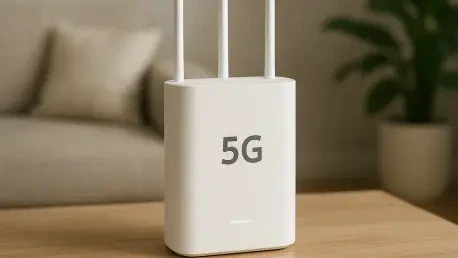
For those experiencing failures with residential broadband, the next logical step is to reboot the 5G Home router by unplugging it from the power source and then plugging it back in. This physical reset is crucial for Fixed Wireless Access (FWA) hardware, which can sometimes encounter internal processing errors or thermal throttling that affects data throughput. Unplugging the device for at least thirty seconds allows the internal capacitors to discharge fully, ensuring that the router starts from a completely clean state upon being re-energized. As the router boots back up, it re-establishes its link with the provider’s core network and performs a fresh authentication check, which can often clear up issues related to IP address lease expirations or signal synchronization errors. Since residential 5G gateways rely on consistent communication with a specific set of neighborhood towers, this hard reset ensures the hardware is optimally positioned to receive the best available signal. It is a standard procedure that solves the majority of localized home internet connectivity problems.
Testing an alternative connection, such as a different Wi-Fi network or a secondary cellular line, is an important diagnostic step to confirm that the problem is specific to the current provider’s infrastructure. By connecting to a neighbor’s network, a public hotspot, or a mobile tether from another carrier, users can isolate whether the connectivity issue lies within their own device or the service provider’s grid. If the device functions perfectly on another network, it confirms that the internal modem and software are operating correctly, narrowing the fault down to the specific carrier’s local service availability. This isolation technique is vital for troubleshooting complex setups where multiple devices might be failing simultaneously, as it provides definitive proof of where the breakdown in the communication chain has occurred. Having a secondary data source available, even if it is a low-speed backup, ensures that essential tasks can still be completed while the primary provider works to resolve the broader network failure.
4. Check Device Configuration and Wait for a Resolution
Reviewing the internal configuration in the device settings menu is a necessary precaution to ensure that mobile data and network roaming are correctly enabled and functioning. Occasionally, a software update or an accidental change in the system preferences can disable key connectivity features, leading to a loss of service that mimics a broader network outage. Users should verify that the correct Access Point Name (APN) settings are applied and that the device is not restricted to legacy bands that may have been decommissioned in their area. In 2026, many networks rely on specific 5G Standalone (SA) configurations that must be properly toggled within the network settings to achieve optimal performance. Ensuring that the SIM or eSIM profile is active and that no data caps have been inadvertently triggered is also a vital part of this diagnostic process. This thorough check of the device’s internal logic ensures that the hardware is fully prepared to interface with the network’s latest protocols once signal availability is restored in the local area.
Once the service provider officially confirmed the network failure, the resolution shifted into the hands of engineering teams who focused on hardware replacements and software recalibration. During this downtime, the utilization of Wi-Fi Calling served as the primary solution for maintaining voice services over local broadband connections. As services gradually returned, users were advised to ensure their device firmware was up to date to prevent similar handshake errors during future network transitions. The situation demonstrated that while 5G technology has matured significantly by 2026, the underlying physical infrastructure remained susceptible to regional disruptions. Moving forward, customers benefited from implementing multi-carrier redundancy strategies, such as maintaining a secondary eSIM from a different provider for critical business needs. This proactive approach ensured that even during significant infrastructure hurdles, a secondary path for data and voice communication remained available for immediate use.