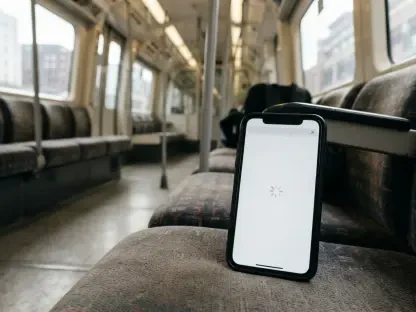

The rapid globalization of short-form video content has created a digital environment where creators in one region often find themselves unable to use the viral tools and templates being utilized by peers across the globe. This geographical disparity often manifests as a “No Internet Connection” error or a missing feature set that limits the creative potential of aspiring influencers and professional editors alike. As the year 2026 progresses, the demand for seamless cross-border collaboration has intensified, making specialized network tools more relevant than ever. While many users assume that software capabilities are universal, the reality is that regional licensing and local server availability dictate the specific toolkit accessible to any given user. Overcoming these barriers requires more than just a stable connection; it necessitates a strategic approach to network identity that allows for the full utility of modern editing suites without the frustration of regional lockouts or restricted asset libraries.
1. Understanding the Mechanics and Motivation of Virtual Networks
A Virtual Private Network, commonly referred to as a VPN, serves as a digital intermediary that masks a user’s actual physical location by routing their internet traffic through a remote server. When applied to video editing software, this technology allows the application to recognize the user as being in a different geographic region, which can be pivotal for unlocking localized content. This is not merely about changing an IP address; it is about creating a stable tunnel that protects the data stream from local interference and throttling. For editors working within the CapCut ecosystem, a VPN provides a way to stabilize network connections that might otherwise fluctuate due to local ISP restrictions. By encrypting the data packet, the tool ensures that the connection to the application’s central servers remains robust, facilitating smoother interactions with cloud-based assets. This structural change to how a device communicates with the web is the foundational step for any creator looking to bypass regional limitations effectively.
The primary motivation for integrating such a tool into a creative workflow often stems from the desire to access a broader range of templates and visual effects. Different countries frequently maintain unique template libraries that are tailored to local trends, and a VPN allows creators to tap into these viral movements regardless of their physical location. Beyond just accessing content, using a VPN helps resolve persistent connectivity issues, such as the common error that falsely indicates a lack of internet connection when the software is launched in an unsupported area. It also provides a more consistent path for syncing projects across multiple devices, ensuring that large file transfers are not interrupted by regional server timeouts. Furthermore, the added layer of encryption is vital for editors who frequently work from public spaces, such as coffee shops or transit hubs, where unencrypted Wi-Fi could pose a risk to their account security and private project data. This combination of accessibility and security makes the tool indispensable for serious production.
2. Practical Instructions and Advanced Feature Integration
Implementing a VPN for video editing involves a specific sequence of actions to ensure that the software correctly registers the new virtual location. First, select a trustworthy provider known for high speeds and consistent connections, as paid services generally offer better performance than their free counterparts. Second, activate the connection prior to launching the app; turning the VPN on before opening the software ensures that the system recognizes the new server location immediately. Third, choose an appropriate geographic location by connecting to servers in regions where the software is fully supported, such as Singapore, Germany, or the United States. Finally, update or restart the software if certain features still appear to be missing from the interface. In some cases, clearing the application cache while the VPN remains active is necessary to force the app to refresh its regional assets. Following these steps systematically allows the editor to bypass initial detection hurdles and maintain a stable environment for intensive rendering tasks and real-time cloud synchronization.
Once a successful connection is established, creators can explore a variety of features that were previously unavailable or hidden due to geographic restrictions. This often includes a wider selection of trending TikTok-specific templates that are designed to capitalize on current algorithmic preferences in major international markets. Advanced AI-powered visual effects, which may be rolled out in specific regions before others, also become accessible, providing a competitive edge for those looking to produce cutting-edge content. Additionally, exclusive animation packs for text and transitions are often found in libraries tied to specific server locations, allowing for a more diverse visual language in finished projects. Beyond visual assets, a VPN can enable cloud-based team collaboration tools that might be restricted in certain jurisdictions, allowing editors to work synchronously with partners across the globe. This expanded access transforms the software from a localized tool into a comprehensive global production suite capable of handling diverse creative demands without the hindrance of regional borders.
3. Security Protocols and Technical Troubleshooting
Maintaining security while utilizing these tools requires a cautious approach to selecting and operating the network software. It is essential to avoid using obscure or unverified free VPN applications, as these often lack the necessary encryption standards to protect sensitive user data. Instead, creators should carefully read the service’s privacy policy to ensure that their browsing and editing habits are not being logged or sold to third parties. Modern encryption protocols, such as WireGuard or OpenVPN, should be prioritized to ensure that the data tunnel remains secure against potential breaches. Additionally, editors should avoid logging into sensitive personal or financial accounts while the VPN is active on an unencrypted public network to minimize the risk of credential theft. If the application begins to exhibit slow performance or lag during the editing process, switching to a server location that is physically closer to the user can often mitigate these issues. Consistently using the same server region for every login session can also prevent the software from flagging the account for suspicious activity.
Selecting the right service for high-resolution video production ultimately required prioritizing fast download and upload speeds alongside a high number of available server locations. It became clear that a strict no-logs privacy policy and low latency were the most critical factors for creators who engaged in real-time cloud editing. Throughout the exploration of these tools, it was observed that a VPN served as a practical bridge for overcoming regional limitations and persistent connection bugs rather than a method for bypassing software payments. Creators who implemented these strategies found that their editing process became significantly more efficient and reliable. By choosing reputable providers and following the established protocols, they successfully navigated the complexities of global digital distribution and localized software restrictions. The integration of these network solutions provided a robust framework for professional-grade content creation. As the technological landscape evolved, the proactive use of virtual networks ensured that artistic expression remained uninhibited by the arbitrary constraints of physical geography.